How to Implement Mobile Ordering at a Private Club

Private clubs have a distinct advantage when introducing mobile ordering: they know their member base and control much of the property experience. They also face a distinct challenge: members have high service expectations, existing account relationships, and established routines. A successful launch respects those routines while making service noticeably easier.
Here is a practical implementation plan for private club mobile ordering.
Step 1: Define the first use cases
Choose the two or three occasions members ask for most. Common starting points include order-ahead pickup at the turn, GPS-enabled on-course delivery, and clubhouse to-go ordering. Poolside or practice-area service can follow once the team is comfortable.
Write down which outlets will fulfill orders, the menu available in each location, operating hours, pickup points, and delivery boundaries. Make sure the promise on the member-facing screen matches actual operations.
Step 2: Configure menus and billing
Use item descriptions, modifiers, prices, service availability, and kitchen routing that match the club's practices. Decide whether orders will be charged to member accounts, paid by card, or handled through an approved mix. Confirm reconciliation procedures and test the complete transaction before launch.
ClubGrub can operate alongside an existing club-management and POS environment, but the exact supported workflow must be configured and validated for each property.
Step 3: Train the team on the full journey
Have a staff member place a real test order. Follow it from phone to kitchen ticket, preparation, readiness, dispatch, and final handoff. Practice late orders, out-of-stock items, special instructions, canceled orders, and poor connectivity. Make one person accountable for handling exceptions.
Step 4: Make member onboarding exceptionally simple
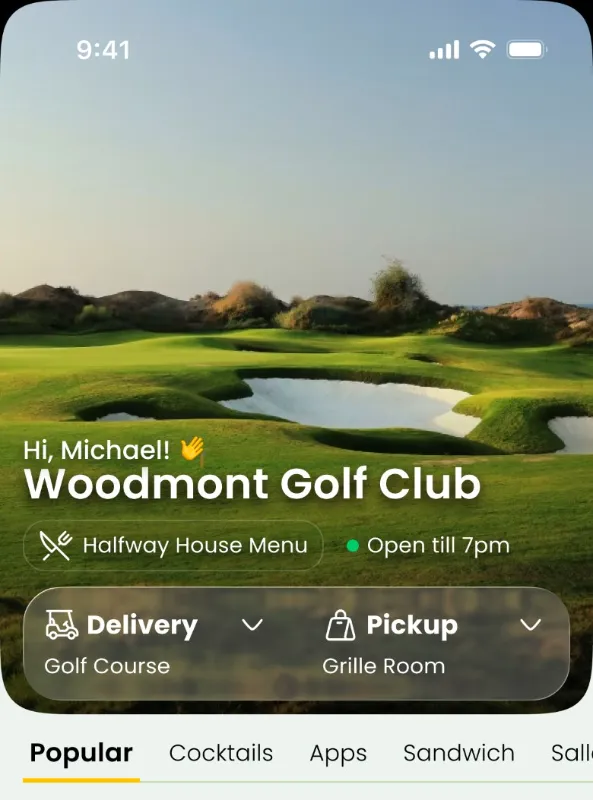
Send one clear announcement showing what members can order, where they can receive it, and how to get started. ClubGrub offers both app-based and no-download web/QR paths depending on the experience. Explain location permissions for on-course delivery and notifications when relevant. Use real screenshots of the club menu, not generic technology jargon.
Step 5: Launch in a manageable area
Pilot during a defined service period, collect staff feedback, and fix points of confusion before adding more outlets. Encourage department heads and golf staff to demonstrate ordering. Place tasteful signage in carts, at the halfway house, and at other supported locations.
Step 6: Review performance and expand
Monitor order adoption, total ticket volume, preparation time, on-time fulfillment, member feedback, contribution margin, and call volume. Use those findings to introduce country club online ordering, poolside delivery, or range service.
ClubGrub is designed to connect these different settings through a consistent ordering and kitchen workflow while allowing each club to tailor the service experience.